AlarmSight brings your fire alarm system to your phone and computer: an interactive floor plan, a clear history of every event, and all your buildings in one place. No extra hardware to install.
Works with any panel brand · On any device · Share with your team
See it in action
Sound familiar?
A condition sits on the panel in a back room, and nobody knows until it becomes a problem.
"Zone 14, smoke detector" doesn't tell you which room, which floor, or which ceiling.
A technician comes out only to learn what went wrong, then comes back to fix it.
What happened last month lives in emails, binders and phone calls, if anywhere.
What you get
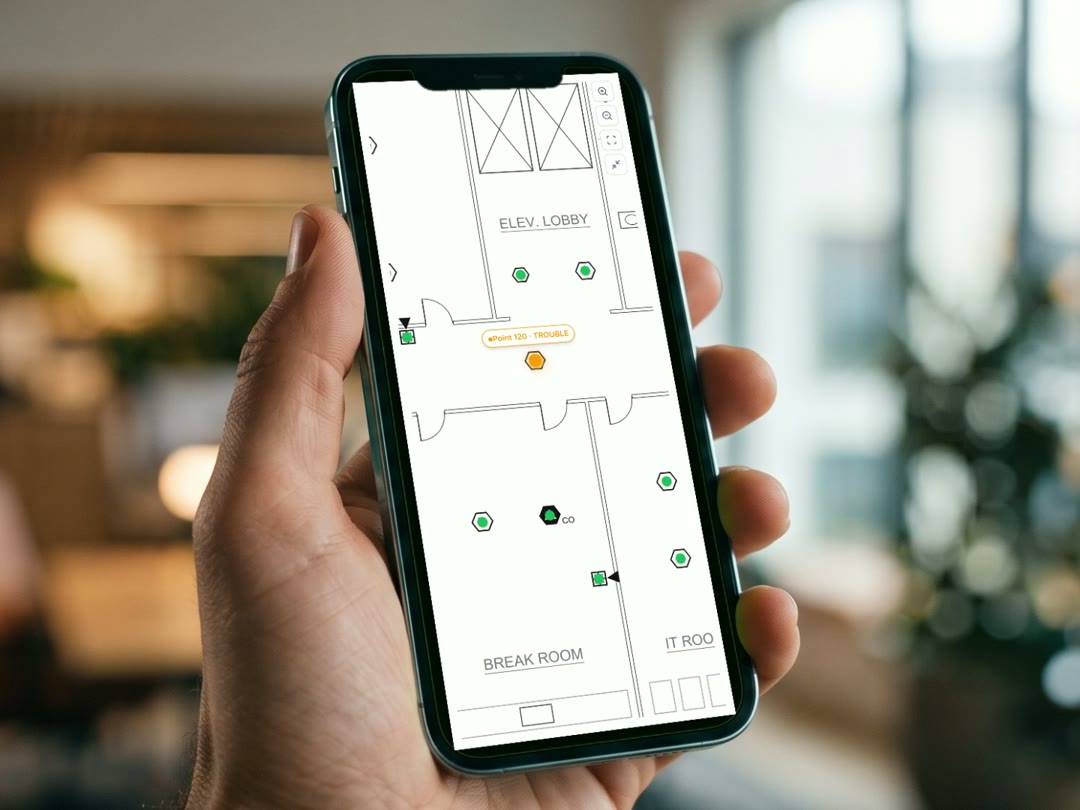
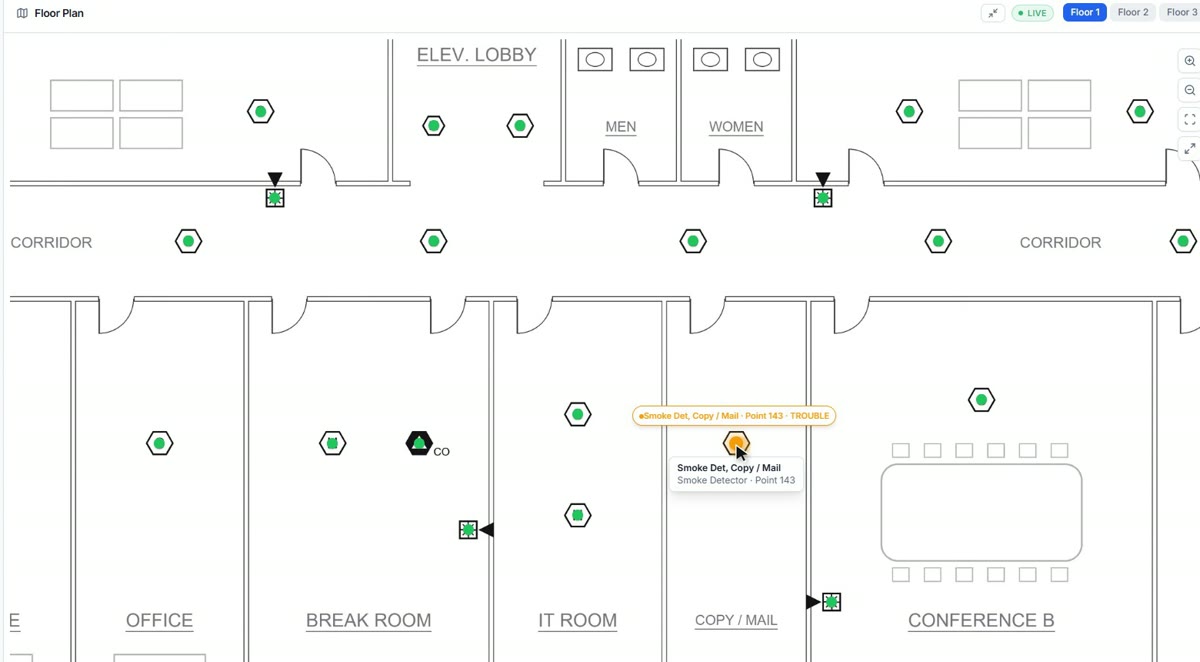
Every detector, pull station and device on your actual floor plan. When a signal comes in, the device changes color, so you know which one it is and where it is.
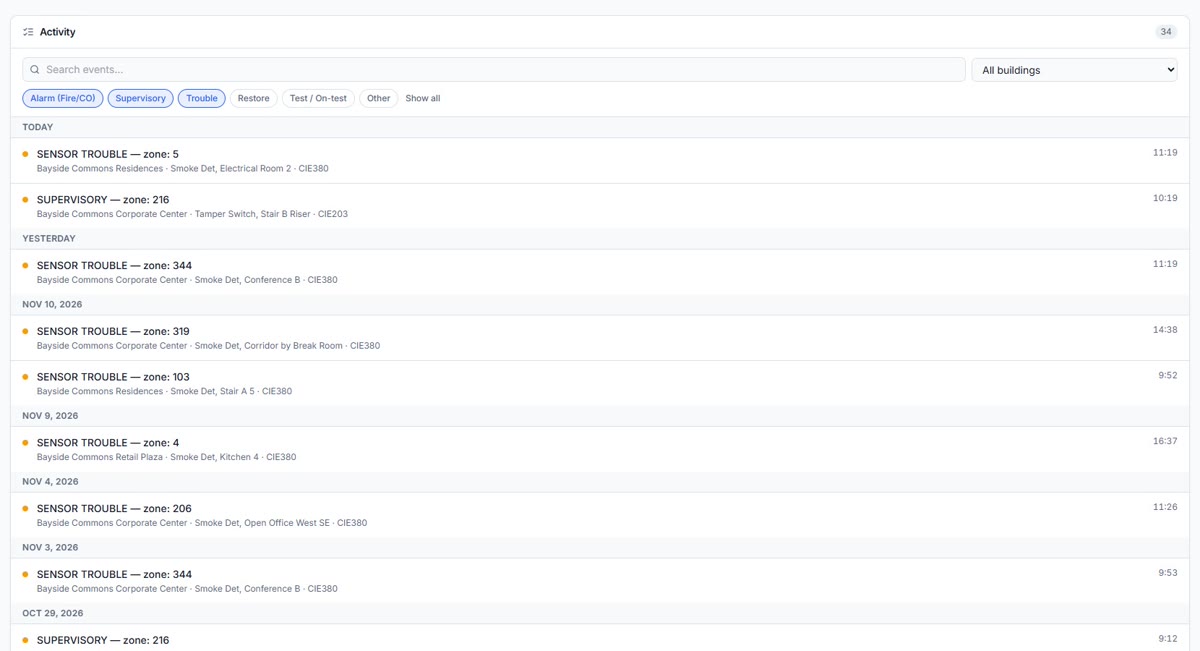
What happened, when and where, saved and searchable. Pull a report for your insurer, your board or your inspector without digging through paperwork.
See the status of your whole portfolio at a glance, and open any building to see what's going on.
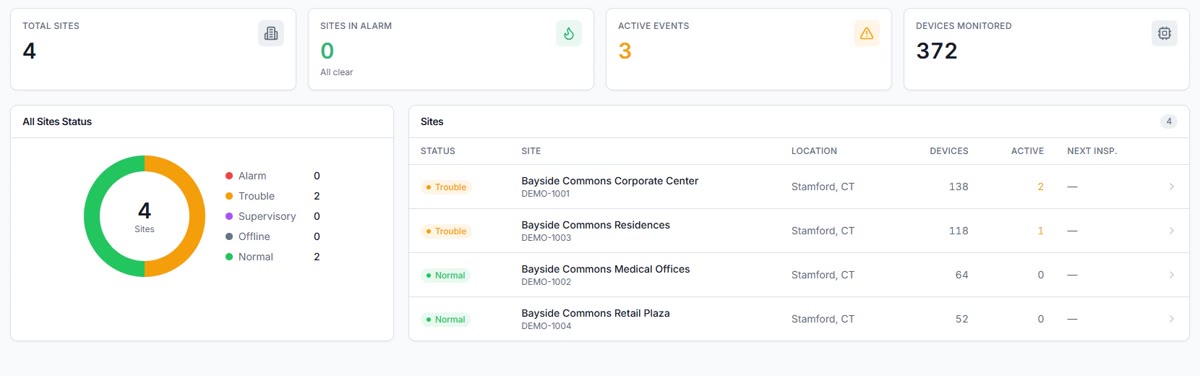
Your fire alarm company sees the same information, so they arrive knowing the problem and with the right parts.
Give access to the people who run your building, so everyone sees the same picture.
Phone, tablet or computer. Add it to your home screen and open it like an app.
How it works
AlarmSight uses the signals your monitoring center already receives from your fire alarm system. No gateway, no extra device, and it works with any panel brand.
Your fire alarm system sends its signals to your monitoring center, as it does today.
Your fire alarm company links your account and places your devices on your floor plan.
Sign in from any device and see status, history and every building you manage.
How precisely a signal is located depends on how your account reports to the monitoring center: by device, by zone, or for the building as a whole. Your fire alarm company can tell you how yours is set up.
No. AlarmSight is an informational dashboard. Your listed central station remains the service that receives and responds to alarms. AlarmSight shows you that information clearly, on a floor plan and in a history you can search.
No. AlarmSight uses the signals your monitoring center already receives from your fire alarm system, so there's no gateway or extra device to add. It works with any panel brand your fire alarm company installs or services.
AlarmSight is offered by your fire alarm company, which sets the plan and price for your buildings. Ask them about it, or send us their name and we'll reach out for you.
You, the people you invite from your team, and your fire alarm company. Each account only sees the buildings it's been given access to.
It depends on how your account reports to the monitoring center. When it reports device by device, you'll see the exact device on the floor plan. When it reports by zone, you'll see the zone. Your fire alarm company can tell you how yours is set up.